
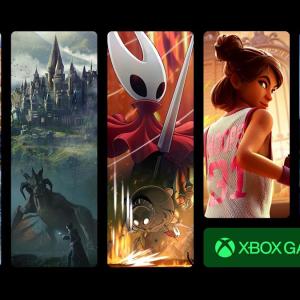
If you’re a fan of gaming, you might be feeling a bit uneasy about recent changes. Microsoft recently raised the price of Xbox Game Pass Ultimate by 50%, jumping from $20 to $30 per month. While the service offers a bigger game library and perks like a Fortnite Crew subscription, many users are questioning whether it’s worth the cost.
If you decide to end your subscription, be aware that you’ll lose access to online multiplayer games. However, the cheaper tiers of Game Pass have received new benefits without the price hike, so downgrading could be a smart move.
Managing your subscription is a straightforward process. You’ll need to log into your Microsoft account through a web browser. Here’s how:
- Log In: Go to Microsoft’s website or directly to your account at account.microsoft.com.
- Subscriptions: Click the “Subscriptions” tab on the left side.
- Manage: In the Game Pass section, select “Manage.”
- Cancel: Finally, click on “Cancel subscription.”
Depending on your billing cycle, Microsoft might offer a partial refund if you cancel right away.
If you’re not ready to cancel but want to save money, consider downgrading. You can switch to Game Pass Premium for $15 or Game Pass Essential for $10. The steps are similar:
- Log In: Again, start at Microsoft’s website or your account.
- Subscriptions: Click the “Subscriptions” tab.
- Manage: Select Game Pass, then click “Manage.”
- Change Plan: Click on “Change subscription plan” and pick a cheaper option.
Microsoft will confirm your choice before finalizing the change.
What’s Behind the Price Hike?
Raising prices is never popular, and Microsoft’s decision reflects broader trends in subscription services. Many companies are grappling with rising operational costs. Recent surveys show that over 60% of consumers are reassessing their subscription services due to price increases.
Experts in the gaming industry suggest that while companies aim to improve profitability, they must also consider user satisfaction. The balance between quality service and cost is essential to keep gamers on board.
In an age where competition is fierce, companies like Microsoft can’t afford to lose loyal customers. As gamers weigh their options, social media trends show a mix of frustration and understanding—some users are choosing to stick around for the new games while others are looking for alternatives.
The gaming community is vocal, and platforms like Twitter and Reddit have buzzed about this price change, with hashtags like #GamePass and #Xbox discussing the impacts. Many gamers share their thoughts on balancing cost and value as part of their gaming experience.
As you navigate these changes, it’s crucial to stay informed and choose the option that suits you best. Whether you decide to cancel, downgrade, or stick around, it’s your gaming adventure to shape.
Source link
Xbox Game Pass Ultimate, Microsoft, Carlos Campbell, subscription, Microsoft account
